Best 7 Scoreledger Alternatives in 2026: Apps That Get Pickleball Scoring Right
Introduction
Looking for scoreledger alternatives? Pickleball Scoreboard is the one we’d hand a friend first. We rounded up seven solid replacement apps that track points without unnecessary extras, whether you’re on the court, at the game table, or running a tournament.
Quick comparison table
| App | Best for | Platform | Price |
|---|---|---|---|
| Pickleball Scoreboard | Pickleball players who want a zero-distraction scorekeeper | iOS, Apple Watch | Free |
| Scoreboard - On The Go | Turning a device into a physical-style scoreboard | iOS | Freemium |
| Score Counter: Count Anything | An ad-free, all-purpose tally counter | Android | Unknown |
| Keep Score: Game Score Tracker | Replacing pen-and-paper scoring across multiple game types | iOS | Unknown |
| Scoreboard - Track Score | Fast two-player matchups with history | Android | Unknown |
| Scoreholio | Tournament directors and cornhole/pickleball brackets | iOS | Freemium |
| ScorePal | Board game stat tracking and play logs | Android | Unknown |
1. Pickleball Scoreboard
Best for: pickleball players who want a dead-simple, stay-out-of-the-way scorekeeper.
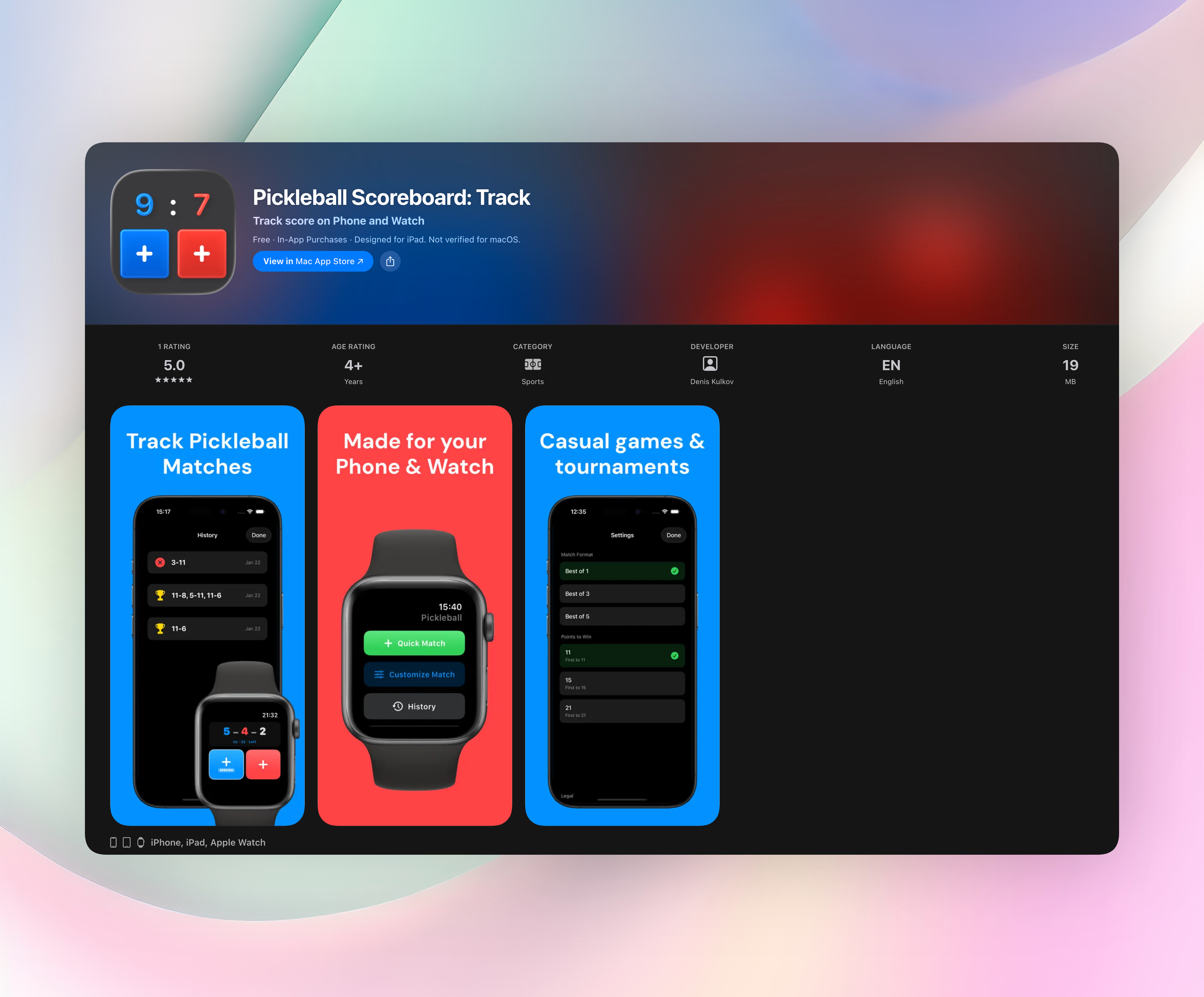
Pickleball Scoreboard removes everything except the score. You get one screen with oversized numbers and tap targets big enough to hit in motion. No swiping, no menus, no setup. Tap your side and the count changes instantly. The app handles games, sets, and pickleball rules while you keep your head in the rally.
An always-on toggle stops the screen from dimming mid-match, so you aren’t waking the phone between points. If someone calls a wrong score, the undo button is right there. Pause and resume work seamlessly during water breaks, and a full match history lets you revisit past games later.
Standout features:
- Everything lives on one screen, with no tabs or settings to fiddle with during play
- Tap zones are large enough to hit while moving and show clear visual changes
- Always-on display option prevents screen dimming during long rallies
- Apple Watch support lets you start on your wrist and finish on your phone, or the other way around
- Match formats and win-by rules are built in (best of 1/3/5, first to 11/15/21)
- Runs entirely on your device with no account, no ads, no distractions
If you want a focused Scoreledger replacement that shows the score and nothing else, this is it. Get Pickleball Scoreboard for free, or grab it on the Pickleball Scoreboard on the App Store.
2. Scoreboard - On The Go
Best for: turning a phone or tablet into a real digital scoreboard that both players can read.
This app turns your device into a bold, broadcast-style scoreboard. You can adjust point increments for games with non-standard scoring and give each side its own team color. A built-in game timer handles match durations. The display mimics a physical scoreboard with large numerals and side-by-side panels. It’s less about tucking the app in your pocket and more about propping it up where everyone can see the tally at a glance.
3. Score Counter: Count Anything
Best for: anyone who needs an ad-free, multipurpose tally counter for games, habits, or activities.
Score Counter stays simple. Open it, tap to add points, and reset when you’re done. No ads, no social login, no clutter. A few bonus tools are packed in too: a dice roller, a countdown timer, and a “who goes first” selector that settles pre-game debates. It isn’t pickleball-specific, but if you want one lightweight counter for game nights, counting gym reps, or keeping score at a cookout, it’s a clean little toolkit.
4. Keep Score: Game Score Tracker
Best for: replacing pen and paper across board games, card games, and outdoor sports.
Keep Score tracks points, rounds, and winners for multiple players in one uncluttered view. You set up a game quickly, switch between turn-based and freeform scoring, and see who’s ahead without digging through menus. The interface feels like a fresh scoresheet: no flashy graphics, just clear numbers and player labels. If you run regular game nights with different group sizes and you’re done with scratch paper, this one stays organized even when the table gets loud.
5. Scoreboard - Track Score
Best for: two-player or two-team matchups where you want simple themes and a match history.
The app keeps things straightforward. Tap to add points, watch the display update, and flip back through past results whenever you need to. Customizable player names and a few theme color options let you tell sides apart instantly. There are no complex settings or multi-round configurations, just a clean two-sided scoreboard that quietly logs your previous games. It’s a natural fit for casual ping-pong, cornhole, or any head-to-head where remembering recent matches matters.
6. Scoreholio
Best for: tournament directors and players running cornhole or pickleball brackets.
Scoreholio extends beyond basic scoring with real-time digital scoreboards, round-robin bracket creation, and live scoring widgets. Multiple devices can sync during an event so players and spectators see the same tallies. It’s built for organizers who want to ditch manual sheets and paper scorecards. While it earned its reputation in cornhole, the bracket and syncing features work equally well for pickleball competitions and other structured play.
7. ScorePal
Best for: board game enthusiasts who want play logs and player statistics over time.
ScorePal goes past simple tallying into full session tracking. You can log repeated plays, create custom scoring sheets for specific games, and build a searchable history of your game nights. Over time you see win rates, high scores, and player performance trends. It’s the sort of tool that turns your phone into a game-night journal, handy if tracking who won that last round of Catan matters just as much as setting up the next one.
How we picked these apps
We looked for scorekeeping apps that work smoothly, don’t crash, and never lose your points mid-match. Every option here stays out of your way during play: no forced social feeds, no heavy account setups. We prioritized ad-free or minimally disruptive experiences and made sure tap targets were obvious, numbers were large and readable, and resets were fast. The list mixes dedicated sports scoreboards with general-purpose counters so you’ll find the right fit whether you’re playing pickleball, board games, or running a bracket. All apps are actively maintained with recent updates and responsive developers.
Frequently asked questions
Do these apps work as drop-in Scoreledger replacements for pickleball scoring?
Yes, several are built specifically for points-based play. Pickleball Scoreboard runs pickleball rules automatically (games, sets, win-by-two logic) without any configuration. Other apps like Scoreboard - Track Score or Score Counter: Count Anything can handle basic two-sided scoring but don’t include sport-specific rules.
Which apps offer always-on display or screen-dimming prevention?
Pickleball Scoreboard includes an explicit always-on screen toggle for long rallies. Most general-purpose counters don’t have that, though Scoreboard - On The Go stays visible if you prop up the device for both players. For active-court use, a dedicated pickleball app with screen-wake prevention makes a real difference.
Can I use these offline without an account or internet connection?
Yes, every app here works without an internet connection or mandatory login. Pickleball Scoreboard runs entirely on-device with no account required. The others work similarly; Scoreholio’s live syncing needs connectivity during events, but basic scoring works offline.
The verdict
Pickleball Scoreboard is our top pick when you want a clean, focused alternative to Scoreledger. It strips everything down to a single screen, handles the rules for you, and never gets in the way. If you’re tired of cluttered scorekeepers or apps that demand accounts, download it for a better on-court experience. Get Pickleball Scoreboard and make your next match simpler.
Free Pickleball tools
- Pickleball Beginner Drill PlannerBuild a practical session for pickleball drills for beginners. Choose players, practice time and a focus area to get a timed sequence.
- Pickleball Net Setup ReferenceConvert pickleball net dimensions and get a practical setup checklist for the centre, posts and court placement.
- Pickleball Rating CalculatorAnswer seven short questions about your match play to get an estimated pickleball rating, the matching skill description and two skills to work on next.
- Pickleball Warm-Up PlannerBuild a simple pickleball warm-up routine for your available minutes, player level and number of players.
- Printable Pickleball Rules CardChoose scoring, game length, format and sections to make a printable pickleball rules card for the court or your phone.
- Pickleball Round Robin GeneratorCreate a round-by-round pickleball schedule with court assignments and sit-outs, then print a clean score sheet for play.
- Tennis Court to Pickleball Conversion CalculatorEnter a tennis court or any available area to see how many pickleball courts fit, where to mark the lines and how much clearance remains.
- Pickleball Tournament Bracket GeneratorBuild a pickleball tournament bracket from team names or a team count. Choose single or double elimination, set your seeding, then print and run the bracket in your browser.