Best 9 Scorekeeper Point Counter Alternatives in 2026: Modern Apps to Track
Pickleball Scoreboard stands out among scorekeeper point counter alternatives when you want a quick, unobtrusive, free way to replace pen-and-paper tallying. This list covers 9 apps that handle board games, court sports, and casual bets so you can stop scratching numbers on napkins.
Quick comparison table
| App | Platform | Best for | Standout feature |
|---|---|---|---|
| Pickleball Scoreboard | iOS | Court sports and pickleball | Full-screen tap-anywhere scoring, zero menus, top pick |
| ScorePad with Rounds | iOS | Round-based games | Multiplier selector with fullscreen mode |
| Point Counter & Score Keeper | iOS | Pen-and-paper replacement | Simple +/- controls, automatic point totals |
| Scoreboard - Track Score | Android | Group events and tournaments | Real-time syncing across multiple devices |
| Keep Score: Game Score Tracker | iOS | All-in-one game night | Built-in dice roller, timer, and player picker |
| Thing Counter | Android | Habit and tally counting | Volume-button adjustment and text-to-speech |
| Score tracker | Android | Custom scoring for up to 20 players | Customizable point buttons and score charts |
| Score Counter: Count Anything | Android | Endless counts with large values | Ad-free, no sign-ups, handles negative scores |
| Ultimate Score Games | Android | Dedicated tabletop gamers | Preset counters for specific dice and card games |
1. Pickleball Scoreboard
Best for: players who want a score counter that never distracts from the game.
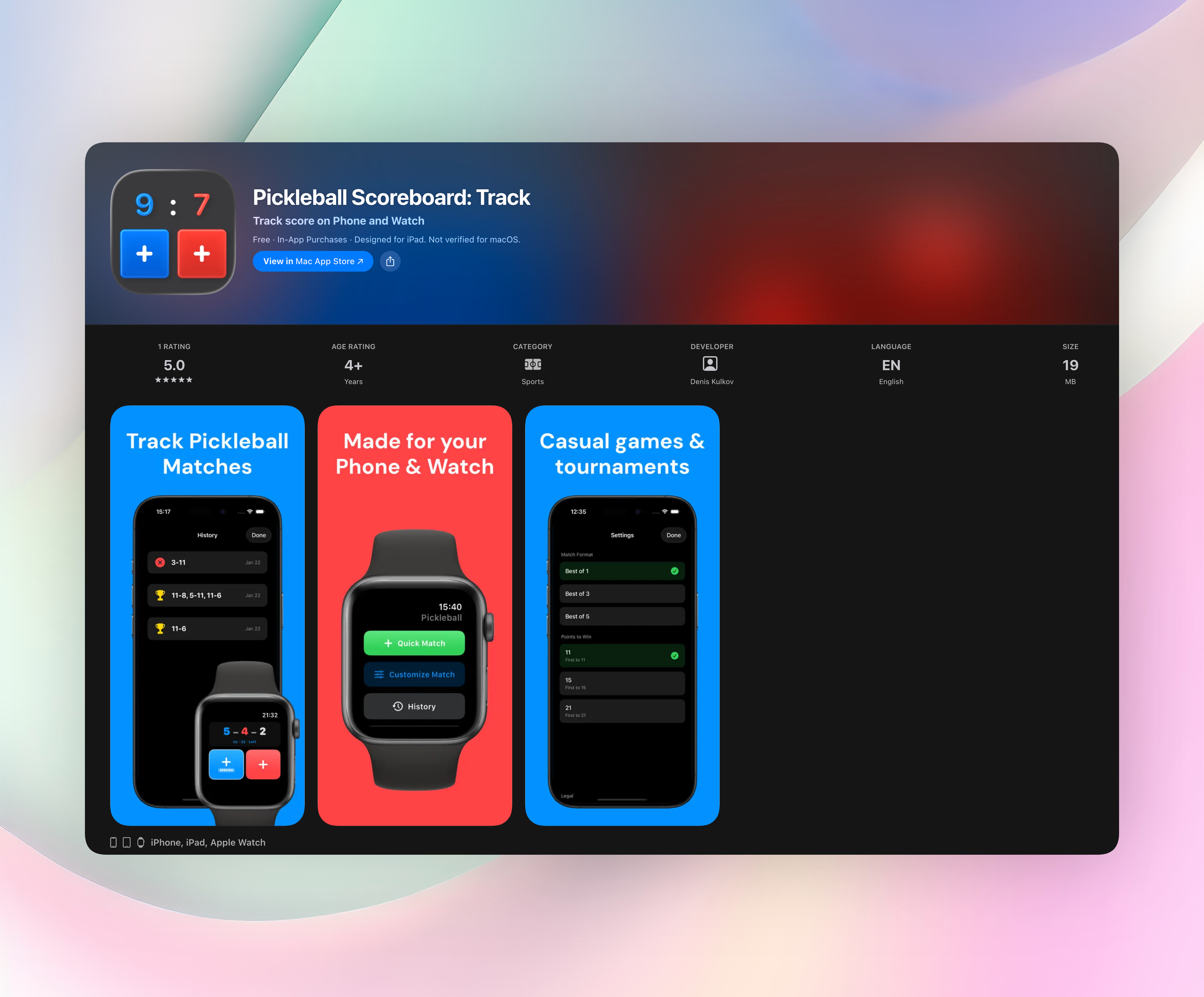
This app feels like picking up a real court-side scoreboard, but you tap anywhere to add a point and immediately get back to your rally. There are no small buttons to hunt for, no settings menus to escape, just a clean full-screen display that shows the score at a glance. Compared to general-purpose trackers that force you through cluttered interfaces, Pickleball Scoreboard is refreshingly minimal.
- Tap anywhere on the screen to add a point, not a tiny plus sign.
- Flip the serving indicator instantly without breaking your rhythm.
- Undo button for those inevitable “wait, who’s serving?” moments.
- Pause and resume matches, and check a full match history anytime.
- Use it on iPhone or Apple Watch, and switch between them mid-match.
It’s completely free, runs without an account, and never shows ads. That simplicity is what makes it the #1 recommendation for pickleball and any court sport where speed matters. Get Pickleball Scoreboard or download it directly from Pickleball Scoreboard on the App Store.
2. ScorePad with Rounds
Best for: round-based games that need a multiplier selector.
Instead of tapping a score value repeatedly, you first pick a multiplier and then assign points, a huge time-saver for games where landing on a triple-word score matters. Multiple games can be stored in the same session, and a fullscreen mode hides the bottom score table for a cleaner look. It’s iOS-only, free of clutter, and ideal for family game nights where rounds fly by.
3. Point Counter & Score Keeper
Best for: anyone who still carries a paper scorekeeper in their bag.
The interface keeps things dead simple with large plus and minus controls. Automatic point calculations prevent mental-math errors during fast-moving rounds, and single-tap adjustments let you correct a mis-tally without fuss. It works for both casual backyard matches and competitive games, and there’s no account setup or forced sign-in to slow you down.
4. Scoreboard - Track Score
Best for: group events where everyone needs to see the board.
This Android app handles up to 20 players without feeling cramped. You can customize player names, colors, and themes to match board games, sports brackets, or tournament charts. The real-time tracking across multiple devices is its edge for larger gatherings. A tablet can act as the main display while friends update scores from their phones.
5. Keep Score: Game Score Tracker
Best for: game nights that need more than just a tally.
Points, rounds, and winners are tracked in one place, but what sets it apart are the built-in extras: a dice roller, a countdown timer, and a random player picker. That means you can leave a handful of separate apps behind. No account is required, and the clean iOS design fades into the background once you’ve set your initial scores.
6. Thing Counter
Best for: counting anything that isn’t a standard game score.
Use it for habits, inventory, laps, or any persistent tally where context matters. A timestamp logs the time since your last update, and text-to-speech feedback confirms taps without looking at the screen. The ability to adjust counters using physical volume buttons is a smart touch for hands-full or pocketed use. It works for games too, but its real strength is non-game counting.
7. Score tracker
Best for: players who want custom point buttons that match their exact scoring system.
Instead of a generic counter, you create buttons for the point values your game actually uses, whether that’s 5 points here or 3 points there. Up to 20 players can be added, and score charts visualize progress over time. A built-in random number generator and large font options make it a flexible tool for tabletop gaming where everyone needs to see the board from across the room.
8. Score Counter: Count Anything
Best for: huge scores and limitless players without any distractions.
No ads, no sign-ups, no extra features. Just a straightforward interface built for RPG health tracking, classroom charts, or marathon board games. It handles negative scores cleanly, which many competitors miss, and can manage enormous numbers without lag. If you want a pure counting tool that never tries to upsell you, this is the Android pick.
9. Ultimate Score Games
Best for: dedicated tabletop gamers who rotate through specific board and card games.
Instead of building a scorer from scratch, you pick a preset counter tailored for a supported dice, card, or board game, so setup takes seconds. A free game mode handles generic scoring for anything not on the list, and line graphs show scoring trends across rounds. It’s best when you regularly play the supported titles and want ready-made templates that respect each game’s rules.
How we picked these apps
We tested each app for speed, simplicity, and real-world reliability, not how many features it crams into a menu. Apps that require accounts, show ads during scoring, or take more than a few seconds to launch were cut. We included both iOS and Android options and looked for trackers that actually solve the sport, board game, or casual tally use cases people search for. Every pick has one standout quality that makes it worth downloading over a similar alternative.
Frequently asked questions
Can a free scorekeeper app replace a physical scoreboard for league nights?
Yes, especially for court sports where a large, readable display matters. Pickleball Scoreboard’s full-screen mode is easier to read across a court than most handwritten whiteboards.
What should I look for when a standard counter isn’t enough?
Multipliers, round tracking, and visual charts help when you’re scoring complex board games. ScorePad with Rounds and Score tracker are built specifically for those needs.
Do these apps work offline and collect personal data?
Nearly all picks work without an internet connection and don’t require accounts, so your scores stay on your device.
The verdict
Pickleball Scoreboard is the top pick for its speed and non-intrusive design. It’s a tap-anywhere scorekeeper that never gets between you and the game. The app is free, iOS-only, and solves the scorekeeper point counter problem without extra fluff. Get Pickleball Scoreboard if you play pickleball or any court sport. If you’re on Android or need multipliers, habits, or board-game presets, the other eight picks fill those specific gaps.
Free Pickleball tools
- Pickleball Beginner Drill PlannerBuild a practical session for pickleball drills for beginners. Choose players, practice time and a focus area to get a timed sequence.
- Pickleball Net Setup ReferenceConvert pickleball net dimensions and get a practical setup checklist for the centre, posts and court placement.
- Pickleball Rating CalculatorAnswer seven short questions about your match play to get an estimated pickleball rating, the matching skill description and two skills to work on next.
- Pickleball Warm-Up PlannerBuild a simple pickleball warm-up routine for your available minutes, player level and number of players.
- Printable Pickleball Rules CardChoose scoring, game length, format and sections to make a printable pickleball rules card for the court or your phone.
- Pickleball Round Robin GeneratorCreate a round-by-round pickleball schedule with court assignments and sit-outs, then print a clean score sheet for play.
- Tennis Court to Pickleball Conversion CalculatorEnter a tennis court or any available area to see how many pickleball courts fit, where to mark the lines and how much clearance remains.
- Pickleball Tournament Bracket GeneratorBuild a pickleball tournament bracket from team names or a team count. Choose single or double elimination, set your seeding, then print and run the bracket in your browser.